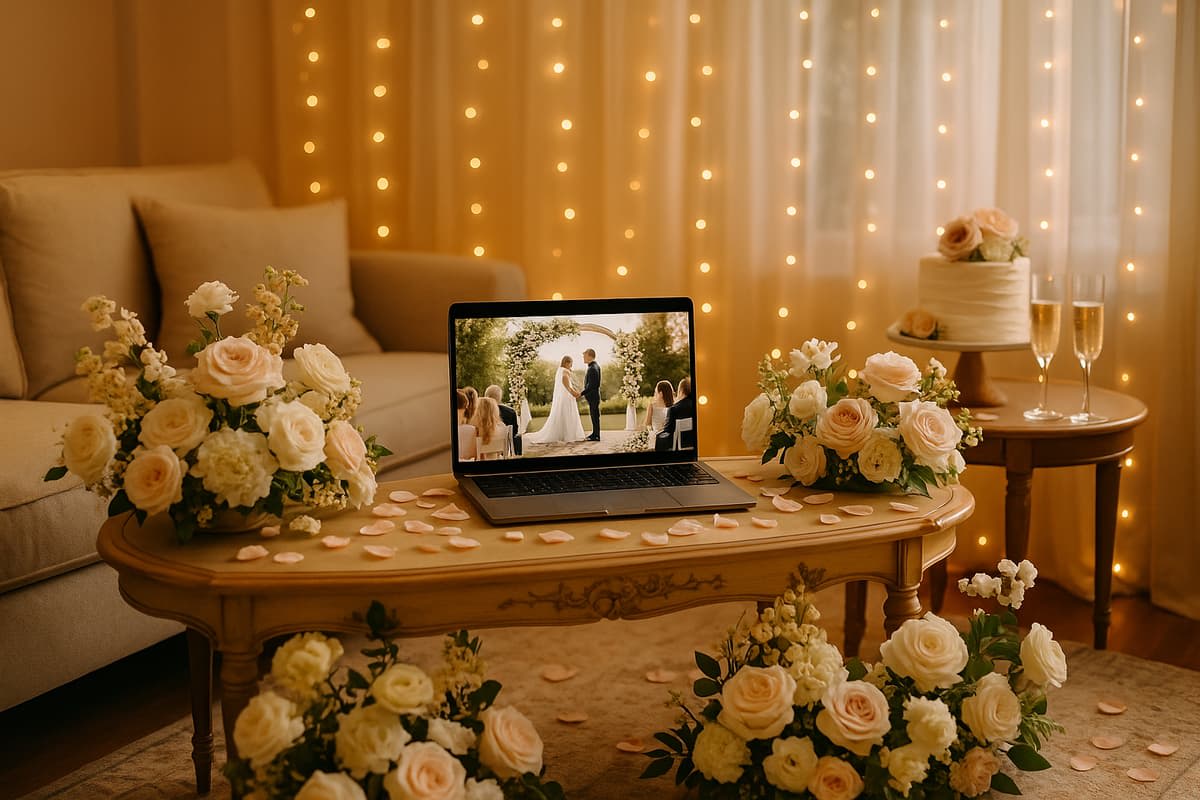
How to host a virtual wedding event (with ease!)
How to host a virtual wedding event (with ease!)
$500 – $5,000+ average total cost

How to host a virtual wedding event
A virtual wedding lets you share your celebration with loved ones anywhere in the world through live video streaming. Whether you're planning a fully digital ceremony or adding a virtual component to a small in-person gathering, the process requires thoughtful preparation around technology, legal requirements, and the guest experience. With the right setup, a virtual wedding can feel just as meaningful and memorable as a traditional event.
Couples choose virtual weddings for many reasons: long-distance family members, travel limitations, health considerations, or simply the desire for an intimate celebration that still includes a wide circle of loved ones. Studies show that 15% to 30% of invited guests typically can't attend an in-person wedding, making a virtual option a practical way to ensure no one misses the moment.
| Key Planning Area | What's Involved |
|---|---|
| Legal requirements | Marriage license, officiant, witnesses (varies by state) |
| Streaming platform | Zoom, Lovecast, Google Meet, or dedicated wedding streaming apps |
| Internet connection | Minimum 10 Mbps upload speed; wired connection recommended |
| Invitations | Digital invites with date, time, login link, and instructions |
| Vendor coordination | Review contracts, adjust services for virtual format |
| Space preparation | Backdrop, lighting, sound, and camera placement |
| Budget range | $500 to $5,000+ depending on production quality |
Get your legal affairs in order first
Before planning the celebration details, confirm that your virtual wedding will be legally recognized. The legalities of a virtual ceremony differ significantly from those of an in-person one, and requirements vary by state and county. Start by visiting your County Clerk's office website to understand exactly what's needed to make your union official.
| Legal Requirement | Details |
|---|---|
| Marriage license | Required in all U.S. states; apply through your local county clerk |
| Officiant | Must be legally authorized; friends can be ordained online in many states |
| Witnesses | Most states require 1 to 2 witnesses physically present |
| Virtual ceremony recognition | Some states (like New York) have made exceptions; check local laws |
| Signing documents | Physical signatures typically required on the marriage certificate |
In most jurisdictions, an officiant and witnesses need to be physically present with the couple. Some states created exceptions during the pandemic, allowing remote notarization and virtual witnessing, but these rules change frequently. Always verify current regulations before your wedding date.
If your state doesn't recognize fully virtual ceremonies, many couples take a two-step approach. They hold the virtual celebration as a meaningful event for family and friends, then complete the legal paperwork separately with a small signing ceremony. This approach lets you enjoy the best of both worlds without legal complications.
Even if your state allows virtual officiating, the marriage license itself almost always requires in-person pickup and submission. Plan to visit your county clerk's office well before your ceremony date, as processing times can take several weeks.
Choose the right streaming platform
Your streaming platform is the backbone of your virtual wedding. The right choice depends on your guest count, desired features, technical comfort level, and budget. Dedicated wedding streaming apps tend to offer a more polished experience, while general video conferencing tools provide flexibility and familiarity.
| Platform | Best For | Key Features | Cost |
|---|---|---|---|
| Zoom | Interactive ceremonies with guest participation | Breakout rooms, screen sharing, recording | Free to $150 per year |
| Lovecast | Polished, wedding-specific streaming | One-way streaming, photo guestbook, live chat, guest tables | Free to $150+ |
| YouTube Live | Large guest counts with minimal interaction | Unlimited viewers, easy sharing, automatic recording | Free |
| Facebook Live | Casual, social-media-friendly celebrations | Easy access, comments, reactions, unlimited viewers | Free |
| Google Meet | Small, intimate gatherings | Simple interface, screen sharing, no download required | Free to $72 per year |
| Vimeo Livestream | High-production-quality events | Professional streaming tools, password protection, HD quality | $75 to $330 per month |
Dedicated wedding streaming apps
Platforms like Lovecast were built specifically for wedding celebrations. They offer one-way streaming, meaning virtual guests watch without appearing on camera. This eliminates the awkward "work meeting" feel that comes with Zoom and similar tools.
Guests receive a simple broadcast link with nothing to download or log in to. Features like photo guestbooks, virtual rice tosses, and live chat create an interactive experience that feels distinctly celebratory. After the event, couples can download digital guestbooks and recordings as keepsakes.
Video conferencing tools
Zoom remains the most popular general-purpose option because most people already know how to use it. If you choose Zoom, designate someone to manage muting, spotlighting, and technical issues so the couple can focus on the ceremony.
The free version of Zoom limits meetings to 40 minutes for groups larger than two, so consider upgrading to a paid plan. You'll also want to set up waiting rooms and passcodes to prevent uninvited guests from joining.
Send clear virtual wedding invitations
Your invitations set the tone for the entire event and provide the essential information guests need to attend. For a virtual wedding, clarity is even more important than usual because guests need specific technical details to join the celebration.
| Invitation Element | Why It Matters |
|---|---|
| Date and time (with time zones) | Guests may be joining from different regions |
| Streaming link | The direct URL guests will use to access the ceremony |
| Login credentials | Passwords, meeting IDs, or access codes if required |
| Platform instructions | Brief guide for downloading apps or joining the stream |
| Dress code or theme | Helps remote guests feel part of the celebration |
| Schedule of events | Lets guests know when to tune in for key moments |
When plans change from in-person to virtual
If you originally planned an in-person wedding and have already sent invitations, send a "change the date" notice with updated virtual details. Be transparent and direct about the new format. A phone call or personal message works well for close family members, especially those who may not be comfortable with technology.
Digital invitation options
Email invitations, digital save-the-dates, and wedding website updates are all effective ways to share virtual wedding details. Include all streaming information on your wedding website as a central reference point. Send a reminder email or text one week before and again on the morning of the ceremony with the direct link. For more creative approaches, explore these wedding invitation ideas to find the right style for your event.
Include time zones on all invitations. If your ceremony starts at 4:00 PM Eastern, list it as "4:00 PM ET / 1:00 PM PT" so guests in different locations don't have to calculate the difference themselves.
Coordinate with your vendors
A virtual wedding changes the scope of vendor involvement, but it doesn't eliminate the need for professional support. Deciding which vendors to keep, which to scale down, and which to handle yourself is one of the most important planning decisions you'll make.
| Vendor Type | Virtual Wedding Role | Estimated Cost |
|---|---|---|
| A/V technician | Manages streaming, sound, and video quality | $300 to $2,000 |
| Photographer | Captures ceremony and portraits (can shoot outdoors after) | $200 to $1,500 |
| Florist | Delivers arrangements for your ceremony backdrop | $100 to $500 |
| Officiant | Conducts the ceremony (in person or via video) | $100 to $500 |
| Musician or DJ | Provides live or recorded music during the ceremony | $100 to $800 |
| Wedding planner or coordinator | Manages logistics and day-of coordination | $300 to $2,000 |
| Baker | Delivers a smaller version of your wedding cake | $50 to $300 |
Hire an A/V professional
This is the single most impactful investment for a virtual wedding. A professional audio/visual technician handles camera angles, microphone placement, streaming stability, and troubleshooting. Even experienced wedding planners strongly recommend hiring A/V help rather than relying on a friend with a smartphone.
An A/V professional will test your internet connection, set up backup equipment, and ensure your audio is clear and balanced. Poor sound quality is the number one complaint at virtual weddings, and it's nearly impossible to fix mid-ceremony without professional support. Understanding livestream pricing can help you budget for this critical service.
Review and update contracts
If you originally booked vendors for an in-person event, every contract will likely need a review. Be transparent about the format change and discuss adjusted pricing and services. Many vendors are willing to scale down their packages for virtual events, whether that means a smaller floral arrangement delivered to your door or a shortened photography session.
Prepare your ceremony space
Your ceremony backdrop is essentially the "venue" for every virtual guest, so it needs to look great on camera. Whether you're streaming from your living room, a backyard, or a formal venue, a few deliberate choices can transform any space into a beautiful setting.
| Space Element | Recommendation |
|---|---|
| Background | Clean, uncluttered; add flowers, candles, or fabric draping |
| Lighting | Soft, front-facing natural or studio light; avoid backlighting |
| Sound | Use an external microphone; avoid windy or noisy locations |
| Camera height | Position at eye level or slightly above for the most flattering angle |
| Decor | Match your wedding vibe; even simple greenery elevates a space |
Indoor setup tips
If you're streaming from home, choose a room with good natural light and minimal background distractions. Face a window for soft, even lighting on your faces. Add simple decor that reflects your wedding aesthetic: fresh flowers, string lights, candles, or a fabric backdrop.
You can create a stunning ceremony space even in a small apartment. Think about your wedding vibe (rustic, modern, romantic, minimalist) and use a few well-chosen pieces to set the scene. A simple arch with draped greenery, a bookshelf styled with candles, or a clean wall with a flower arrangement all work beautifully on camera. For more inspiration, check out these wedding decoration ideas.
Outdoor setup considerations
Outdoor locations offer naturally beautiful backdrops, but they introduce technical challenges. Wind can overwhelm audio, sunlight can cause harsh shadows, and WiFi signals may be weaker. If you choose an outdoor setting, test the sound feed extensively before the ceremony and use a clip-on or lapel microphone to ensure your vows are clearly heard.
Check with the location about power sources and internet connectivity. A mobile hotspot can serve as a backup, but wired internet is always preferable for streaming stability.
Ensure rock-solid WiFi and tech setup
WiFi is the most critical technical factor for a virtual wedding. A beautiful ceremony means nothing if the stream keeps buffering or cutting out. Invest time in testing and optimizing your internet connection well before the wedding day.
| Technical Requirement | Minimum Recommended | Ideal |
|---|---|---|
| Upload speed | 5 Mbps | 10+ Mbps |
| Connection type | WiFi (5 GHz band) | Wired Ethernet |
| Camera | Smartphone or laptop webcam | External HD webcam or DSLR with capture card |
| Microphone | Built-in device mic | External lapel mic or USB condenser mic |
| Backup internet | Mobile hotspot | Second wired connection |
| Power | Fully charged devices | Plugged in with backup battery |
Test your internet speed
Run a speed test at the exact location and time of day you plan to stream. Internet speeds fluctuate based on time of day, how many people are on the network, and distance from the router. If your upload speed is below 5 Mbps, consider upgrading your plan temporarily or moving closer to the router.
Reduce network load
On the day of the ceremony, disconnect all unnecessary devices from your WiFi network. Ask anyone in the household to pause downloads, streaming services, and video calls. Every device on the network competes for bandwidth, and you want maximum speed dedicated to your wedding stream.
Have a backup plan
Technology can fail unexpectedly, so prepare contingencies. Keep a mobile hotspot ready as backup internet. Have a second device charged and ready to take over streaming if the primary one fails. Share a backup streaming link or phone number with guests in case they can't access the main stream.
Do a complete test run at least one week before the wedding using the same equipment, location, platform, and time of day. This rehearsal will reveal issues you'd never anticipate, from audio feedback to lighting problems.
Live stream your ceremony like a pro
The live stream itself is the centerpiece of your virtual wedding. A few strategic decisions can elevate it from a basic video call to a truly special experience. Designate a dedicated person to manage the stream so the couple and officiant can focus entirely on the ceremony.
| Streaming Tip | Details |
|---|---|
| Assign a stream manager | A trusted friend, family member, or wedding planner |
| Start early | Go live 10 to 15 minutes before the ceremony for a buffer |
| Use one-way streaming | Prevents virtual guests from accidentally unmuting or appearing on camera |
| Position camera thoughtfully | Capture both partners and the officiant; avoid extreme close-ups |
| Stream beyond the ceremony | Include first dance, cake cutting, or toasts for a fuller experience |
| Record everything | Save the stream as a keepsake and for guests who missed it |
Designate a stream manager
Your stream manager handles all the technical details during the ceremony. They'll press "Start Live," monitor the feed, troubleshoot connection issues, and manage guest interactions like chat messages or muting. This role is essential; the couple should never be the ones managing the technology on their wedding day.
Camera placement and angles
Position your camera at eye level, framing both partners and the officiant comfortably in the shot. Avoid placing the camera too far away (guests won't see expressions) or too close (it feels claustrophobic). If your budget allows, a second camera angle for close-ups during vows adds a professional touch.
Stream more than just the ceremony
Traditionally, only the ceremony has been live streamed because the logistics were complicated. Modern platforms make it easy to stream reception highlights like the first dance, cake cutting, and toasts. If there's a gap between activities, platforms like Lovecast can notify virtual guests when the stream resumes so they can rejoin.
Create an engaging guest experience
The biggest risk with a virtual wedding is that remote guests feel like passive observers rather than active participants. With some creativity, you can make virtual attendees feel genuinely included in your celebration.
| Engagement Idea | How It Works |
|---|---|
| Virtual guestbook | Guests sign a digital guestbook with photos and messages |
| Live chat | Guests comment and react in real time during the stream |
| Virtual toast | Invite select guests to unmute and offer a toast via video |
| Dress code | Encourage guests to dress up as if attending in person |
| Watch party kits | Mail small boxes with champagne, confetti, and cake to remote guests |
| Virtual reception | Host a post-ceremony Zoom hangout for casual conversation |
| Photo sharing | Create a shared album where guests upload their own celebration photos |
Send watch party kits
One of the most thoughtful touches for a virtual wedding is mailing small celebration kits to remote guests. Include a mini bottle of champagne or sparkling cider, a slice of cake or cookies from your baker, confetti or sparklers, and a printed program. This tangible connection to the event transforms watching a screen into a shared experience.
Build in interactive moments
Plan specific moments where virtual guests participate. Ask them to raise a glass for a toast, type their well-wishes in the chat, or hold up signs. Some couples use polling features to let virtual guests vote on things like the couple's first dance song. These small touches make remote attendees feel like they're truly part of the celebration. For more creative ways to engage your guests, explore these wedding guest book ideas.
Help less tech-savvy guests
If you have guests who aren't comfortable with technology, reach out personally by phone to walk them through the process. Send written instructions with screenshots. Consider asking a tech-savvy family member in their area to help them set up before the ceremony. No guest should miss your wedding because they couldn't figure out the software.
Virtual wedding budget breakdown
Virtual weddings are significantly more affordable than traditional in-person celebrations, but costs vary widely based on production quality. A simple ceremony streamed from a smartphone costs almost nothing, while a professionally produced event with multiple cameras and curated decor can run several thousand dollars. For comparison, the average wedding cost for a traditional in-person celebration ranges from $25,000 to $35,000.
| Budget Category | DIY Approach | Professional Approach |
|---|---|---|
| Streaming platform | $0 to $20 | $75 to $330 |
| Internet upgrade | $0 to $50 | $50 to $100 |
| A/V equipment and technician | $0 to $100 | $500 to $2,000 |
| Officiant | $0 to $100 | $200 to $500 |
| Decor and backdrop | $50 to $200 | $200 to $800 |
| Flowers | $30 to $100 | $100 to $500 |
| Photography | $0 to $200 | $300 to $1,500 |
| Attire | $50 to $300 | $300 to $2,000+ |
| Watch party kits (per guest) | $10 to $25 | $25 to $75 |
| Marriage license | $25 to $100 | $25 to $100 |
| Total estimated cost | $165 to $1,195 | $1,775 to $7,905+ |
The free versions of platforms like Zoom and Lovecast are perfectly adequate for most virtual ceremonies. Zoom's free tier limits group calls to 40 minutes, which is enough for most ceremonies. Lovecast's free version includes streaming, unlimited viewers, automatic recording, and guest RSVPs.
Premium platform features like virtual rice tosses, custom URLs, guest tables, and welcome slideshows are nice additions but not essential. Spend your budget where it matters most: reliable internet, good audio quality, and an A/V professional if possible. If you need help organizing the overall wedding budget, start by identifying which categories matter most to you.
Day-of timeline and checklist
A structured timeline keeps your virtual wedding running smoothly and ensures nothing falls through the cracks. Start preparations early in the day, even if your ceremony is in the afternoon, to allow plenty of time for setup and testing. If you're juggling work and other commitments alongside your planning, these tips on how to fit wedding planning into your schedule can help you stay on track.
| Time Before Ceremony | Task |
|---|---|
| 1 week before | Complete full technical rehearsal with all equipment |
| 3 days before | Send reminder with streaming link and instructions to all guests |
| Morning of | Send final reminder with direct link; begin personal preparation |
| 3 hours before | Set up ceremony space, decor, cameras, and lighting |
| 2 hours before | Test all technology, run speed test, charge all devices |
| 1 hour before | Final sound check with officiant; stream manager confirms setup |
| 15 minutes before | Go live with a welcome slide or music; allow guests to join |
| Ceremony time | Begin the celebration |
| After ceremony | Stream reception highlights; save recordings; thank guests |
Print this timeline and give copies to your stream manager, officiant, and anyone helping with the event. When everyone knows the schedule, the day flows naturally and stress stays low. For a more comprehensive planning guide, see our full wedding planning checklist.
Frequently asked questions
Is a virtual wedding legally binding?
It depends on your state. Most U.S. states require the couple, officiant, and witnesses to be physically present for a legally binding ceremony. Some states created exceptions allowing virtual officiating, but these rules vary and change. Check with your county clerk's office for current requirements. Many couples hold the virtual celebration separately from the legal signing of documents.
What is the best platform for a virtual wedding?
For a polished, wedding-specific experience, dedicated apps like Lovecast are the top choice because they offer one-way streaming, digital guestbooks, and a celebration-oriented interface. For a more interactive ceremony where you want guests to participate on video, Zoom is the most familiar and reliable option. YouTube Live works well for very large guest counts where interaction isn't the priority.
How fast does my internet need to be?
You need a minimum upload speed of 5 Mbps for standard-definition streaming and 10 Mbps or higher for HD quality. Run a speed test at your ceremony location at the same time of day you plan to stream. A wired Ethernet connection is always more stable than WiFi.
How much does a virtual wedding cost?
A basic virtual wedding using free streaming tools and DIY decor can cost as little as $165 to $1,200. A professionally produced event with an A/V technician, photographer, and premium platform features typically runs $1,800 to $8,000. The biggest variables are whether you hire professional A/V support and the level of decor and photography you choose.
How do I keep virtual guests engaged?
Build interactive moments into your ceremony, such as a virtual toast, live chat, or shared photo album. Sending watch party kits with champagne and treats creates a tangible connection. Keep the stream moving with minimal downtime, and consider streaming reception highlights like the first dance and cake cutting to extend the shared experience.
Should I record my virtual wedding?
Yes, always record your virtual wedding. Most platforms offer automatic recording, and this serves as both a keepsake for the couple and a way for guests who experienced technical difficulties or couldn't watch live to see the ceremony later. Save the recording to multiple locations, including cloud storage and a local hard drive, to ensure you never lose it.
Do I need to check with my venue about live streaming?
If your ceremony takes place at a venue (even a small one), confirm that there are no restrictions on recording or live streaming. Most venues allow it, but some have policies about photography, video equipment, or broadcast rights that could affect your plans. A quick conversation with your venue coordinator will clear up any concerns.